Banking-Introduction
As a business, it is crucial for you to make sure that your bank account and your accounting books always match, so that you are not missing out on tracking any income or expenses. Mocha Accounting simplifies the process by letting you upload your bank and credit card statements.
You can also automatically categorize the transactions by setting up banking rules.
Understand the different tabs available under the bank transactions page:
There are four tabs on the bank transactions page.
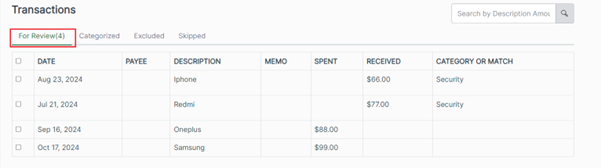
- For Review: This tab contains transactions that are successfully extracted from your uploaded file but are yet to be categorized. Your transactions will not be reflected in your books until you categorize them.
- Categorized: If your uploaded statement contains any transaction that matches an already existing banking rule, then those transactions will be automatically categorized, and they appear under the categorized tab.
- Excluded: If there are any transactions in your uploaded statement that you don’t want to be included in your books of account, then you may mark those transactions as Excluded.
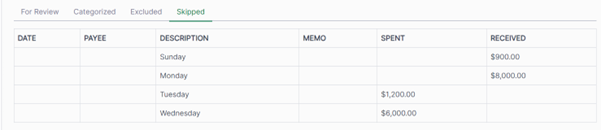
- Skipped: When you are uploading a bank statement to Mocha, we validate the file to make sure that all mandatory fields are available. If any of the mandatory fields are missing, we will not be able to process those transactions for you to review. Thus, any transactions that have a missing field will be moved to the Skipped tab. You may review the transactions, and re-upload the statement with correct information for those transactions to be processed.